

Vehicle security from
£199
Enter car's registration plate number to find the right LockCar security option
We could not pull the details automatically. Fill these in and we will carry on — it only takes a few seconds.
- Free, no obligation
- Fitted, not posted
- 12 months hardware warranty
Showing sample data – add your MOT History API credentials in the plugin settings to return real vehicles.
MOT history
Pick the level of protection
Every option is fitted by an approved installer. Choose one to see the exact devices.
Immobilisers only for
Hidden engine block. Nothing to see, nothing to record.
CAN BUS Immobiliser
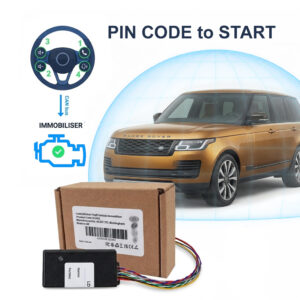
PIN CODE Car Immobiliser LockCar CAN-IMMO – Free Fitting
£299.00 £350.00
PIN CODE to START – NO PIN. NO START – LOCKCAR CAN-IMMO Immobiliser – Smart Advanced CAN Bus Vehicle Immobiliser – entering the PIN CODE each startup
App + Tag Immobiliser
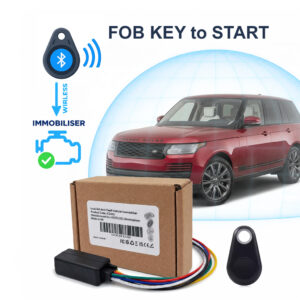
TAG FOB Car Immobiliser LockCar IC3262 TAG Immobiliser
£199.00 £250.00
TAG FOB KEY to START – NO FOB. NO START – LOCKCAR IC3262 Immobiliser – Smart Immobiliser – authorizes the car to start if it detects the fob…
Immobilisers + Dashcams for
Block the theft and record what happens around the car.
Dashcam + Immobiliser + App
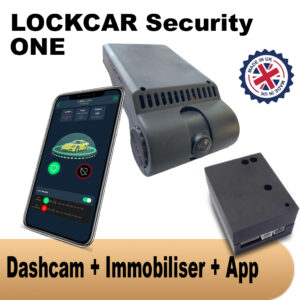
Dashcam + Immobiliser LockCar One – Free Fitting
£450.00 £550.00
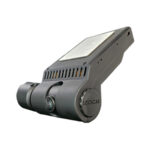
LockCar ONE is a professional dash camera with 24/7 monitoring, SD recording, and smart immobiliser integration. Built for security, durability, and total control in the UK.
Dashcam + Immobiliser + App
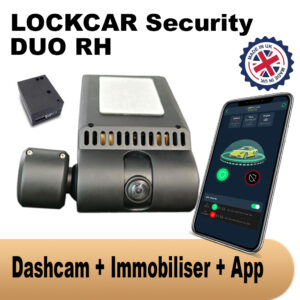
Dashcam + immobiliser Lockcar Duo Rh – Free Fitting
£550.00 £650.00
Local MCU system security. Power ON 24/7. Smart parking mode. Local car status, Immobilization, Local GPS Traking, Local Cameras Front + Driver. FREE UK INSTALLATION
4G Live Dashcams + Immobilisers for
Live view and alerts from anywhere, plus the engine block.
4G + Dashcam + Immobiliser + App
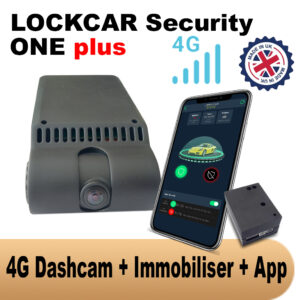
Dashcam + Immobiliser + Tracker LockCar One Plus 4G- Free Fitting
£499.00 £600.00
LockCar One Plus is 4G remote access and intelligent immobiliser. Designed for modern threats, this advanced anti-theft system allows you to monitor and control your car from anywhere,…
4G + Dashcam + Immobiliser + App
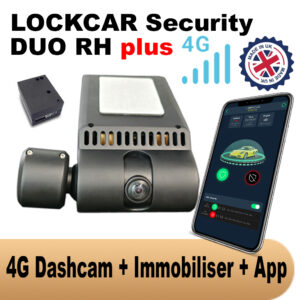
4G Daschcam + Immobiliser + Tracker Lockcar Duo Rh Plus 4G – Free Fitting
£699.00 £750.00
Remote access via 4g permanently. Power ON 24/7. Smart parking mode. Real-time car status, Immobilization, Real-time GPS Traking, Live Cameras Front + Driver. FREE UK INSTALLATION
Where should we fit it?
We come back with the theft method known for your model, what we would fit, the price with fitting, and the nearest slot to you. One message, no sales calls.
Got it – check your inbox
We have your registration and what you picked. We will come back to you shortly.
Message us on WhatsAppLockCar CAN-IMMO, explained properly: a PIN to start immobiliser, with no keypad and no key signal to steal
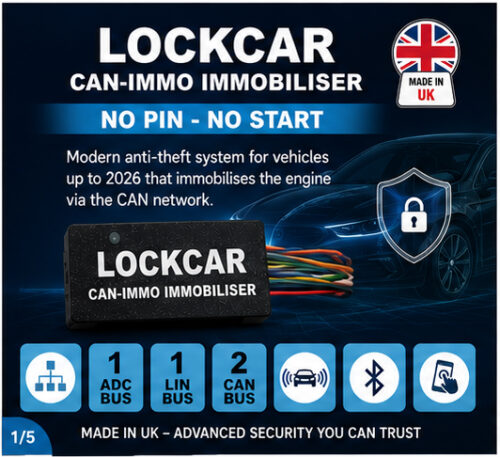
No PIN, no start. That is not a slogan, it is exactly how the device works: your engine is authorised by a PIN you enter on buttons your car already has, and until that happens the engine will not start for anyone. When you would rather not enter it at all, a paired TAG, smart watch or smart ring authorises the car for you as you walk up to it. This page covers what the device does, how it is fitted, and a full walkthrough of the app, from PIN setup to your daily drive.
On this page
- What LockCar CAN-IMMO is
- How it actually works
- Hands-free: TAG, smart watch and smart ring
- Every feature, at a glance
- Specifications and what’s included
- Manual: installation, PIN setup and first pairing
- Manual: understanding your dashboard
- Manual: everyday use, your PIN and Trust Mode
- Manual: valet mode and temporary access
- Manual: keeping your firmware up to date
- Manual: managing your PIN and paired devices
- Manual: what to do if something goes wrong
- Get LockCar CAN-IMMO
- Questions and answers
- Book your installation
What LockCar CAN-IMMO actually is
LockCar CAN-IMMO is a PIN to start immobiliser, fitted by a professional installer and managed from your own smartphone. It sits alongside your car’s factory security as a completely separate, independent check, and it has one job: the engine does not start until your PIN has been entered. No PIN, no start.
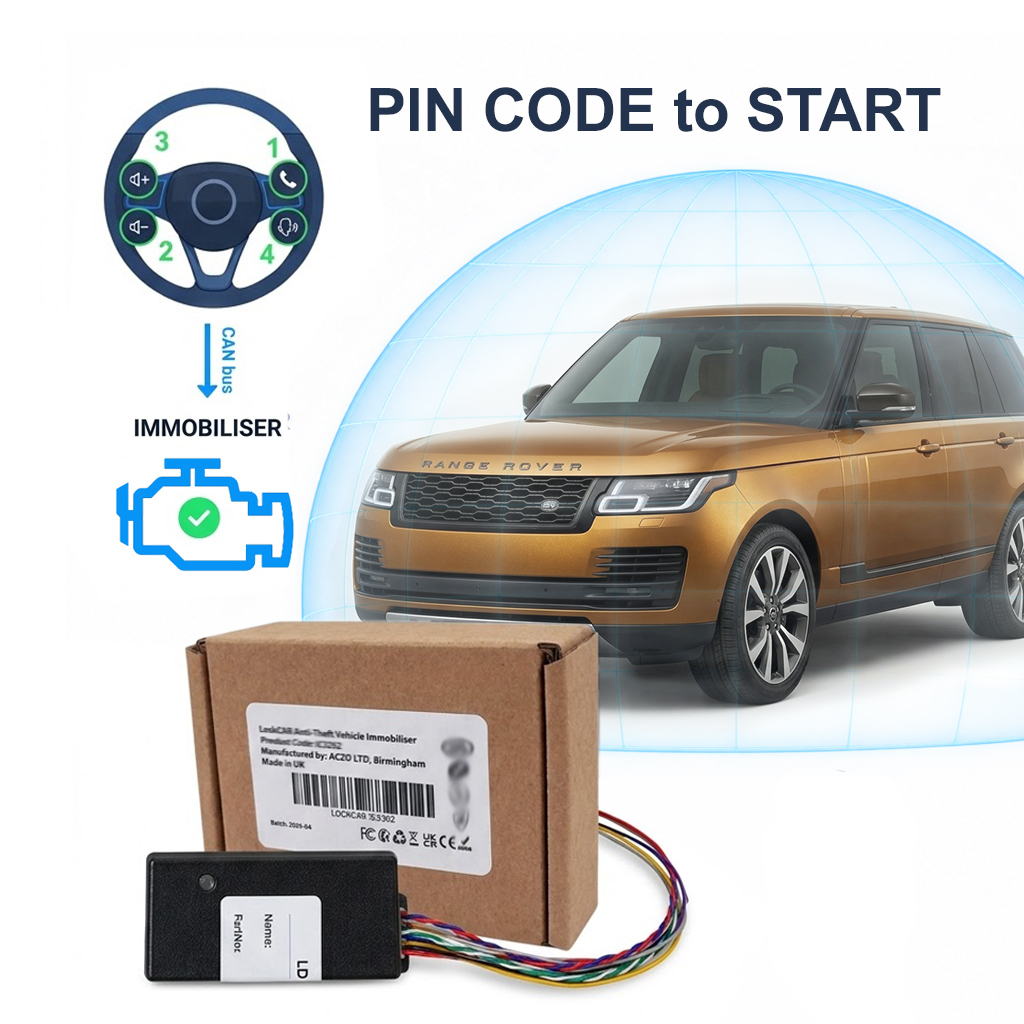
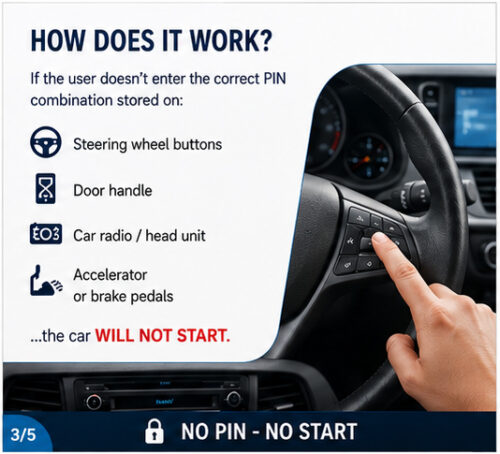
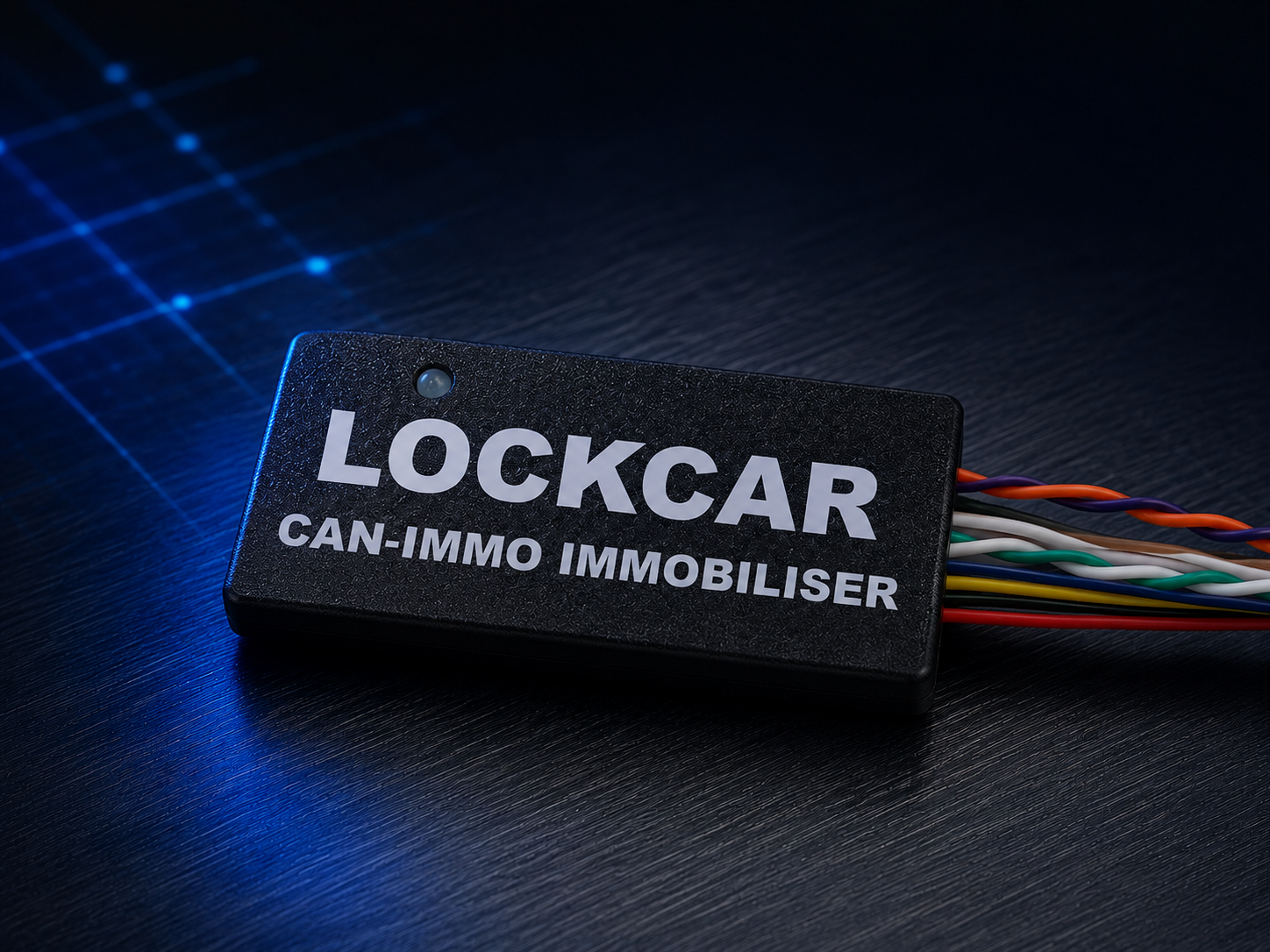
The part that surprises most people is that there is no keypad. Your PIN is entered using buttons your car already has, chosen and configured with you at installation, so there is nothing extra on your dashboard, no LEDs, and no visible sign the car is protected at all. The module itself is tiny, roughly the size of a matchbox, and is hidden during fitting.
It is also smart. If you would rather not enter a PIN on every journey, pair a Bluetooth proximity TAG, or a gadget you already wear, such as a smart watch or a smart ring. The device recognises it as you approach and authorises the car automatically, with the PIN always there underneath as the method that works no matter what.
How it actually works
Every car already has a factory immobiliser, a system that checks for a valid key signal before allowing the engine to start. LockCar CAN-IMMO does not replace that system, it adds a second, completely independent one, communicating with your vehicle’s own electronics rather than relying on any radio signal from a key fob. That is deliberate: a system that does not depend on a key signal has nothing for a relay device or a cloned signal to exploit.
The second check is your PIN. Get in, enter it on the buttons agreed with your installer, and the car starts normally. Skip it and the engine stays immobilised, even if the factory system is perfectly happy, even with a genuine key in the car. A thief who has defeated the key has defeated one system out of two, and the second one is a number that exists only in your head.
The hands-free layer is there for convenience, not instead of the PIN. A paired TAG, smart watch or smart ring is recognised over Bluetooth as you approach and enters the authorisation on your behalf, so the car behaves like any normal car. When the device is out of range, not worn, or out of battery, you are back to the PIN, which never depends on anything else being charged or connected.
Your factory immobiliser asks one question, answered by your key. LockCar CAN-IMMO asks a completely different one, answered by your PIN, or by a paired TAG, smart watch or smart ring on your behalf. Both have to be satisfied before the engine will start.
Hands-free: TAG, smart watch and smart ring
Entering a PIN takes a couple of seconds, and plenty of owners are happy to do it every time. If you would rather the car simply knew it was you, CAN-IMMO can be paired with a Bluetooth device you keep on you, and it will authorise the engine automatically as you get in.
LockCar Proximity TAG
A small Bluetooth TAG for your keyring or pocket, supplied as an option with the device, and the simplest way to go hands-free.
Smart Watch or Fitness Band
Pair a watch you already wear, so the car authorises itself while your phone stays in your bag or pocket.
Smart Ring
A smart ring works the same way, giving you hands-free starting with nothing extra to carry at all.
Compatibility varies between models and manufacturers, so confirm your specific watch or ring with your installer before your appointment, and they will pair it during fitting. Whatever you pair, your PIN stays active underneath: hands-free is a shortcut to the same authorisation, never a replacement for it.
Every feature, at a glance
PIN to Start
The core of the system. Until your PIN is entered, the engine will not start, whatever else has been done to the car.
No Keypad, Nothing Visible
Your PIN goes in on buttons your car already has. No LEDs, no keypad, no sign the vehicle is protected.
Works With a Flat Phone
Your PIN is independent of your phone, your app and your battery level, so you are never left stranded.
Optional Proximity TAG
A small Bluetooth TAG that authorises the vehicle automatically as you approach, with no PIN to enter.
Smart Watch and Ring Pairing
Pair a smart watch, band or smart ring you already wear and let it authorise the car hands-free.
Bluetooth App Control
Manage settings, check status and monitor your vehicle from the LockCar app for Android and iPhone.
Anti-Hijack Protection
If the authorised TAG or wearable is no longer detected while the vehicle is being driven, the system can respond according to your installer’s configuration.
Shock Sensor Input
Detects impacts, tilting, or unauthorised movement, and can be temporarily silenced for situations like a car wash.
Service and Valet Mode
Hand your car to a mechanic or valet without handing over your PIN or giving up permanent access.
Vehicle-Specific and Reprogrammable
Programmed specifically for your vehicle at installation, and reprogrammable if the unit is ever moved to another car.
Over-the-Air Updates
Firmware improvements are delivered straight through the app, keeping your device current without a workshop visit.
No Mandatory Subscription
Core protection works without a recurring monthly fee attached to the device itself.
Specifications and what’s included
| Specification | Detail |
|---|---|
| Type | PIN to start immobiliser, no PIN no start |
| PIN entry | Entered on existing vehicle buttons, configured at installation, no keypad fitted |
| Hands-free options | LockCar proximity TAG, smart watch, fitness band or smart ring, subject to compatibility |
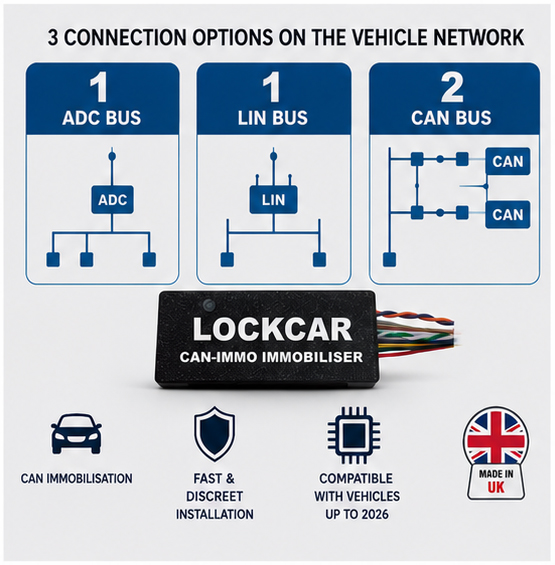
| Compatibility | CAN bus, LIN bus and ADC bus vehicles, universal fitment |
| Power supply | DC 12 to 24V |
| Module size | 48 x 24 x 15mm, concealed installation |
| App | LockCar app (Android and iPhone) via Bluetooth, for settings, status and updates |
| Warranty | 12 months |
| Origin | Made in the UK |
| Installation | Professional installation recommended, vehicle-specific programming and PIN setup included |
Installation, PIN setup and your first pairing
Step 1: Professional installation. A LockCar-authorised installer fits the module to your vehicle at a concealed, vehicle-specific location, and programs it to your car during the same appointment.
Step 2: Set your PIN. Your installer sets up your PIN with you and shows you which of your car’s existing buttons it is entered on. Practise it a few times before you drive away, and keep it to yourself, it is the one thing nobody can copy from the outside.
Step 3: Download the app. Download the LockCar app from the App Store or Google Play and create your account.
Step 4: Find and pair your device. On first launch, the app searches for nearby LockCar devices over Bluetooth. Select your unit from the list, usually shown by its device name, to begin pairing.
Step 5: Remember this device. During pairing you can choose to remember the device, so the app reconnects automatically every time you open it.
Step 6: Add a hands-free device (optional). If you want to skip the PIN on everyday journeys, your installer pairs your proximity TAG, smart watch or smart ring at this point.
Understanding your dashboard
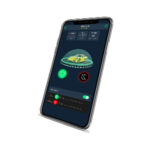
Once connected, the app’s main screen gives you a live snapshot of your vehicle’s status. Here is what each indicator means in plain terms:
Connection Status
Shows whether your phone is currently connected to the device, and its signal strength, so you know if you are in Bluetooth range.
Mode: Auto or Manual
Auto mode lets the system arm and disarm around your paired TAG or wearable. Manual mode gives you direct control, with the PIN as your everyday method.
Trust, Anti-Hijack and Shock Status
Individual indicators show whether Trust Mode, anti-hijack protection and the shock sensor are each currently active.
The dashboard also lists the hands-free devices currently paired to your vehicle, and your current firmware version, so you can see at a glance whether an update is available, covered in more detail below.
Everyday use, your PIN and Trust Mode
The standard routine is simple. Get in, enter your PIN on the buttons set up at installation, and start the car as normal. Until that happens the engine stays immobilised, which is exactly what stops the car being driven away by anyone else.
With a TAG, smart watch or smart ring paired and Trust Mode active, that step happens for you. As you approach with the device on you, the system recognises it and the vehicle becomes ready to start, no PIN needed. When you walk away and it is no longer detected, the system arms itself again automatically.
If your wearable is flat, left at home, or simply not connecting, nothing is lost. Enter your PIN and drive, exactly as you would on any other day. Your PIN works with a dead phone, a dead watch, and no signal of any kind.
Valet mode and temporary access
There are moments you need to hand your car over without handing over your PIN, dropping it at a garage, using a valet parking service, or lending it briefly to someone else. Valet or service mode, available from the app’s settings, is built for exactly this: the car can be started and moved without your PIN being shared or a permanent device being paired. Switch it on before handing over the keys, and switch it back off once the car is back in your hands, restoring full PIN protection.
Valet mode is designed to be temporary. Make it a habit to check the app once your car is returned, so you are not left running without your PIN check for longer than intended.
Keeping your firmware up to date
LockCar CAN-IMMO receives improvements through over-the-air updates, delivered directly through the app, without a workshop visit. From the settings screen, you can check whether an update is available for your device.
If one is found, the app downloads it and transfers it to your device over Bluetooth, showing progress as it goes. Once the transfer completes, the device verifies the update and restarts on the new version automatically.
Keep your phone and vehicle close together and stay connected until the update finishes, to avoid an interrupted transfer. Your PIN is unaffected by updates and stays the same afterwards.
Managing your PIN and paired devices
Changing Your PIN
Your PIN can be changed if you think someone has seen it, or when the car changes hands. Speak to your installer, who will set the new one with you.
Adding or Removing Wearables
New watch or ring, or one you no longer use? Devices can be paired and unpaired, so only the gadgets you actually carry can authorise the car.
Re-Pairing With a New Phone
If you get a new phone, install the app, log in, and pair with your device again the same way you did the first time.
Forgetting a Device
You can forget a remembered device from the app at any time, for example before selling the vehicle, removing automatic reconnection.
Multiple Drivers
If more than one person regularly drives the vehicle, they can use the same PIN, or your installer can pair additional TAGs and wearables.
Selling the Car
Before it goes, unpair your devices and have the PIN changed for the new owner, so nothing of yours is left behind.
What to do if something goes wrong
My phone battery is dead, how do I start the car?
Enter your PIN as normal. PIN entry works entirely independently of your phone and the app, so a flat battery changes nothing.
My smart watch or ring is not authorising the car.
Check the wearable is charged, worn, and has Bluetooth enabled, and that it still shows as paired in the app. In the meantime, enter your PIN and drive as normal.
The app says it cannot find my device, what should I check?
Make sure Bluetooth is switched on on your phone, that you are within range of the vehicle, and that the app has the necessary Bluetooth permissions enabled in your phone’s settings.
I have forgotten my PIN.
Contact your installer or LockCar support. For obvious reasons a PIN cannot be recovered over the phone, it is reset in person once ownership of the vehicle has been confirmed.
I left valet mode on and forgot, how do I check?
Open the app and check the settings screen, valet mode status is shown clearly whenever it is active, so you can switch it off immediately.
An update failed partway through, what now?
Stay connected and try again from the settings screen. If it continues to fail, contact your installer or LockCar support for help.
LockCar CAN-IMMO
- PIN to start on CAN bus, LIN bus and ADC bus vehicles
- PIN entered on your car’s existing buttons, no keypad fitted
- Hands-free with a proximity TAG, smart watch or smart ring
- Anti-hijack protection, shock sensor, valet mode
- Hidden installation, 12 months warranty, made in the UK
- Every model built on the same PIN to start CAN-IMMO core
- Speak to an installer for the right fit
Frequently asked questions
Where do I actually enter the PIN, is there a keypad?
There is no keypad. Your PIN is entered using buttons your car already has, agreed with your installer at fitting, which is why there is nothing visible for anyone to find or tamper with.
Do I have to enter the PIN every single time I drive?
Only if you want to. Pair a proximity TAG, smart watch or smart ring and the car authorises itself as you approach. The PIN stays active underneath for any time your device is not with you.
Which smart watches and rings can I pair?
Most Bluetooth smart watches, fitness bands and smart rings can be used, but support varies by model. Tell your installer which device you wear when you book, and they will confirm it and pair it during fitting.
Can I install LockCar CAN-IMMO myself?
Installation requires soldering skills and vehicle-specific wiring knowledge, so professional installation is recommended. Your installer also carries out the vehicle-specific programming and sets up your PIN.
Does the app need an internet connection to work?
No. PIN entry does not involve the app at all, and hands-free authorisation runs over a direct Bluetooth connection between your device and the vehicle, so the core functions work with no internet connection.
Does LockCar CAN-IMMO include GPS tracking?
No. CAN-IMMO is an immobiliser focused on preventing unauthorised starts, it does not include GPS tracking or a monitoring subscription.
Can it be moved to another vehicle later?
Yes, the unit is reprogrammable. Speak to your installer about reprogramming it, and setting up PIN entry, for a different vehicle if you change cars.
Is my data and connection to the device secure?
Communication between your phone, TAG or wearable and the device is encrypted, so only your paired devices can authorise your vehicle, and your PIN is never stored on your phone. We do not publish the technical details of how this works, in line with standard security practice.
Ready to fit CAN-IMMO to your car?
LockCar CAN-IMMO is fitted UK-wide, with vehicle-specific programming and your PIN set up on the day. Bring your TAG, smart watch or smart ring and we will pair it at the same appointment.